Use Webhook to send notification to Line Messanger
This article will guide you through the process of setting up a Cloudflare Worker to send notifications to LINE Notify. You'll use a pre-existing access token and configure a webhook to trigger the notification process.
Use Webhook to send notification to Line Messanger
This article will guide you through the process of setting up a Cloudflare Worker to send notifications to LINE Notify. You'll use a pre-existing access token and configure a webhook to trigger the notification process.
Prerequisites
Before you begin, ensure you have the following:
- A LINE Notify access token. (https://notify-bot.line.me/)
- A Cloudflare account with a configured Cloudflare Worker.
Step-by-step guide
- Login LINE notify to get the access token
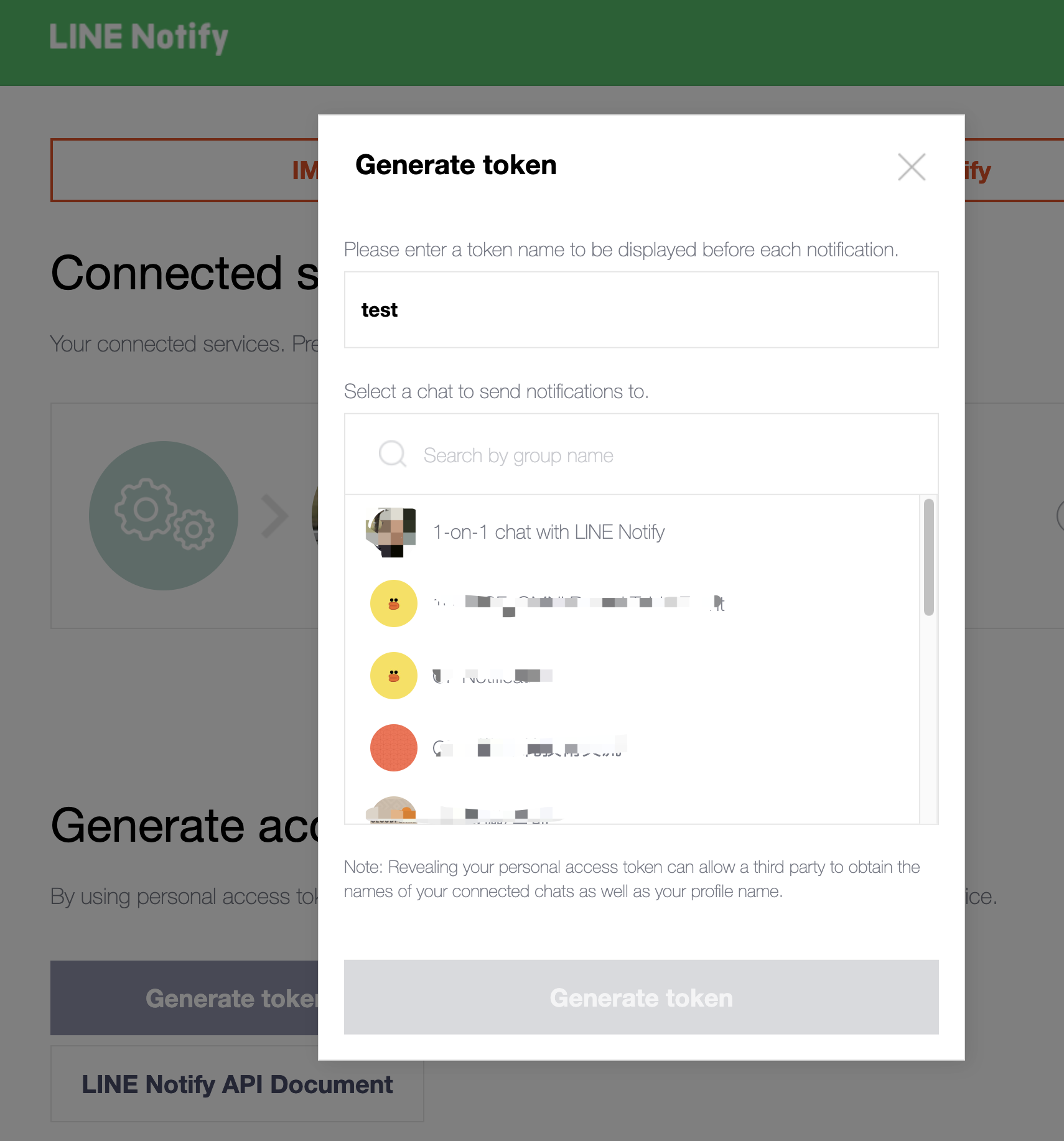
- Click Generate token

- Select a group chat or 1:1 chat room
- Click Generate token
- Copy your token
- Go to Cloudflare workers and deploy with the following code

addEventListener('fetch', event => {
    event.respondWith(handleRequest(event.request));
});

async function handleRequest(request) {
    if (request.method === 'POST') {
        try {
            const headers = Object.fromEntries(request.headers.entries());
            console.log('Request headers:', headers);
        const body = await request.json();
        console.log('Request received:', body);

        const accessToken = '<YOUR_ACCESS_TOKEN>'; // Using the provided access token

        const response = await sendLineNotification(accessToken, body.text);
        const result = await response.json();

        return new Response(JSON.stringify(result), { status: response.status });
    } catch (error) {
        console.error('Server error:', error);
        return new Response('Internal Server Error', { status: 500 });
    }
} else {
    console.log('Invalid method');
    return new Response('Method Not Allowed', { status: 405 });
}

}
async function sendLineNotification(accessToken, message) {
    const url = 'https://notify-api.line.me/api/notify';
    const params = new URLSearchParams();
    params.append('message', message);
const response = await fetch(url, {
    method: 'POST',
    headers: {
        'Content-Type': 'application/x-www-form-urlencoded',
        'Authorization': `Bearer ${accessToken}`
    },
    body: params.toString()
});

return response;

}
- Publish Cloudflare workers and copy the route domain or go with custom domain if you like.
- Go to Cloudflare Notify
- Put URL from the worker domain or custom domain in step 11 add route to "/webhook" path. E.g. (https://cloudflare-line-webhook.example.workers.dev/webhook)
- Click "Save and Test"

You will get the LINE test notification message:

Tips and Considerations
- Security: Ensure that the Worker is secured and only receives requests from trusted sources. (Create custom firewall rules)
- Avoid Hard-Coding Sensitive Information: Hard-coding sensitive data like access tokens directly into your code can lead to security vulnerabilities. Instead, use Cloudflare Workers KV to securely store and retrieve such information.
- Error Handling: Implement additional error handling and logging to capture any issues that arise during the notification process.
- Rate Limits: Be aware of LINE Notify's API rate limits when sending multiple notifications.