SSL for SaaS Setup Guide: Routing Customer Domains to R2
This guide explains how to configure Cloudflare for SaaS to allow external customer domains to serve static content stored in Cloudflare R2, using custom hostnames, and origin rules — without using Cloudflare Workers.
SSL for SaaS Setup Guide: Routing Customer Domains to R2
🧭 Overview
This guide explains how to configure Cloudflare for SaaS to allow external customer domains to serve static content stored in Cloudflare R2, using custom hostnames, and origin rules — without using Cloudflare Workers.
📦 System Components

🛠 Setup Steps
1. ✅ Prerequisites
- Your eyeball zone (
r2.hong-lei.com) is active on Cloudflare. - R2 bucket is deployed and accessible via
r2.techandne.net. - Cloudflare for SaaS (Custom Hostnames) is enabled.
- SSL fallback domain
fallback.techandme.netis configured.
2. 🔧 Configure Origin Rules
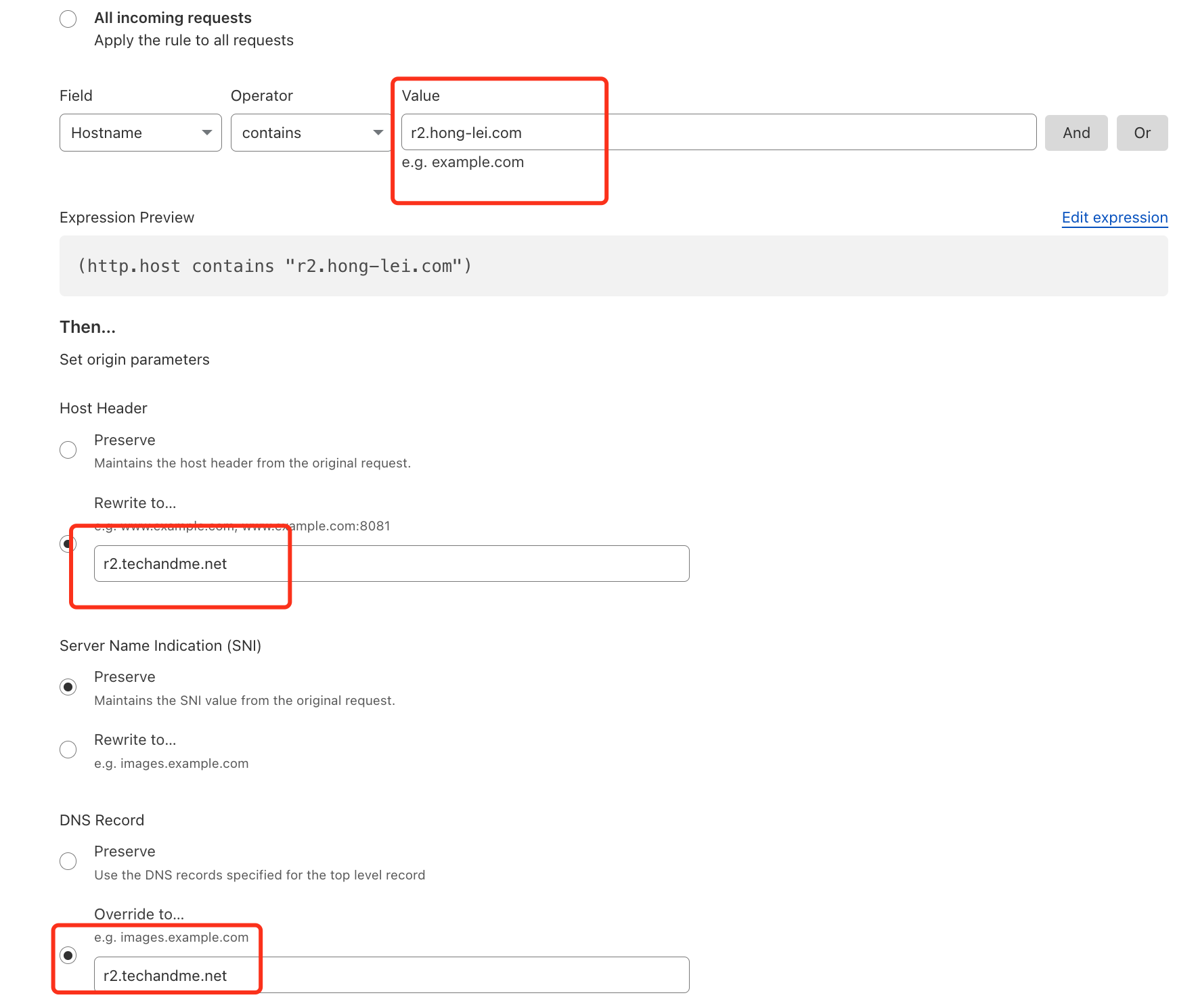
Use Cloudflare’s Origin Rules feature to rewrite the Host header so traffic to your SaaS zone is properly routed to your R2 origin.
In the Cloudflare Dashboard:
Navigate to Rules → Origin Rules for the
r2.hong-lei.comzone.Create a new rule:
If:
Copy
Hostname matches r2.hong-lei.comThen:
- Overwrite Host Header →
r2.techandne.net - (Optional) Set Origin Server →
r2.techandne.netif DNS doesn’t resolve automatically
- Overwrite Host Header →
This tells Cloudflare to route all eyeball requests through to your R2-backed origin.

3. 🔑 Enable SSL for SaaS
In the techandme.net zone:
- Go to Custom Hostnames
- Set fallback origin to
fallback.techandme.net - Enable SSL with Domain Validation (DV) using TXT or HTTP verification

4. Add custom domain in R2:

5. 📡 Instruct the Customer to Update DNS (using CF as example)
Ask your customer to add a DNS record:

Copy
r2.hong-lei.com CNAME fallback.techandme.net
6. ✅ Testing & Validation
Once DNS and SSL validation are complete:
- Access:
https://r2.hong-lei.com/Cloudflare_Logo.svg.png - Cloudflare will route the request to
r2.techandne.netusing your Origin Rule - Content should be served from the R2 bucket as expected